Customizable help button for Qlik Sense
Add a custom Help button to your Qlik Sense toolbar with qs-help-button. Configurable links, context-sensitive URLs, and an integrated bug report dialog that auto-captures user, app, and sheet context. Open source, zero dependencies, installs in five minutes.

Adding a Custom Help Button to Your Qlik Sense Toolbar
Excerpt: Give your Qlik Sense users quick access to help resources and bug reporting—right from the toolbar. The open source qs-help-button tool adds a configurable Help button to client-managed Qlik Sense Enterprise on Windows, with zero dependencies and simple installation.
UPDATE
First public release of the QS Help Button now available over at GitHub!
If you're running client-managed Qlik Sense Enterprise on Windows, you've probably noticed that Qlik's built-in help button takes users to Qlik's own online documentation. That's useful for general product questions, but it doesn't help when someone needs your organisation's documentation, internal support links, or a way to report issues specific to your Qlik environment.
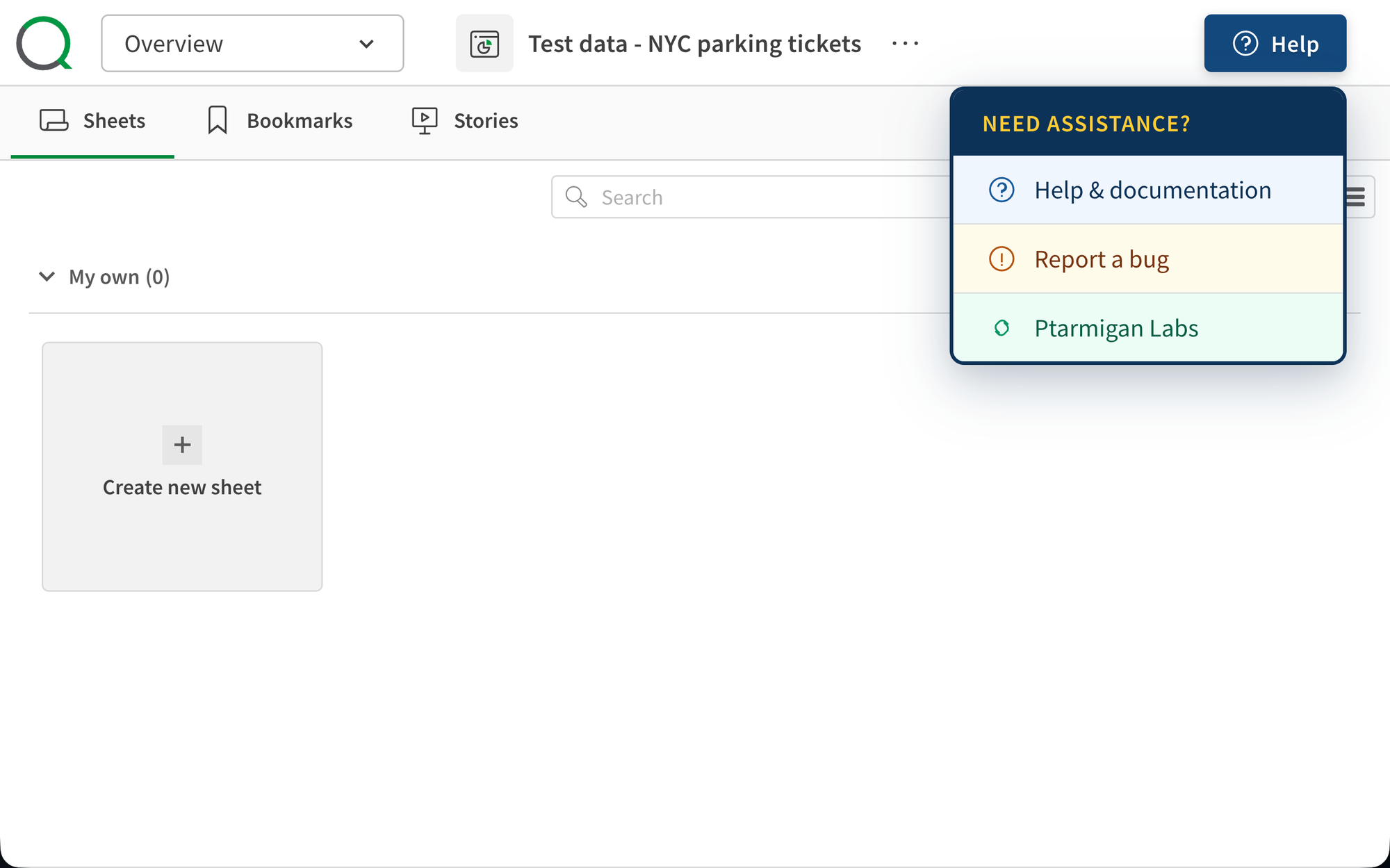
The qs-help-button project solves this by injecting a fully customisable Help button directly into the Qlik Sense toolbar—right where users expect it, next to the Ask Insight Advisor search box.
It's open source, free to use, has zero dependencies, and takes about five minutes to set up.
What it does
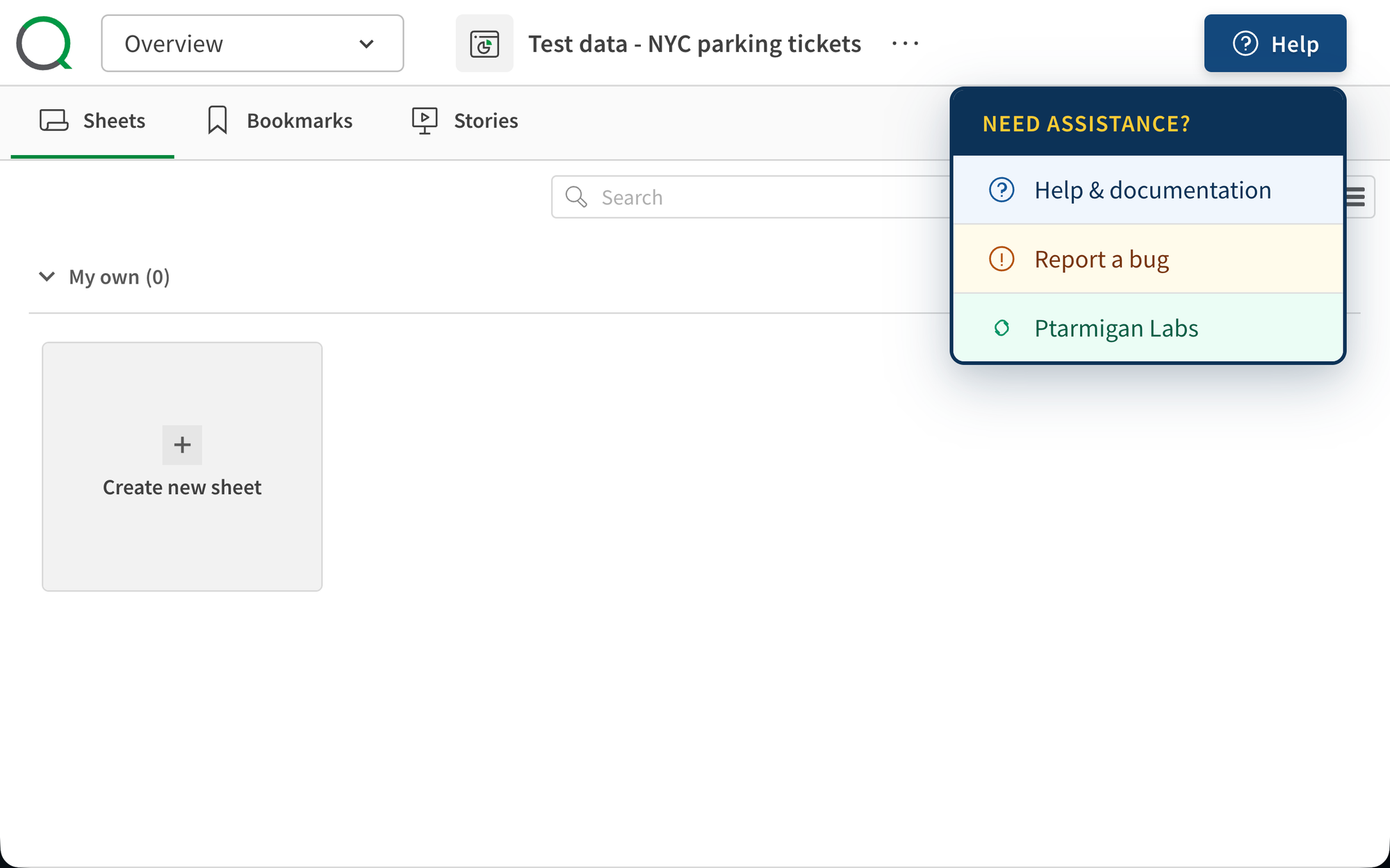
At its core, qs-help-button adds a toolbar button that opens a dropdown popup with configurable links. You define the menu items—help documentation, support portals, bug reporting, external wikis—and the button makes them accessible from every app and sheet in your Qlik Sense environment.
The tool comes in two variants, so you can pick the one that fits your needs.
Two variants for different needs
Basic variant
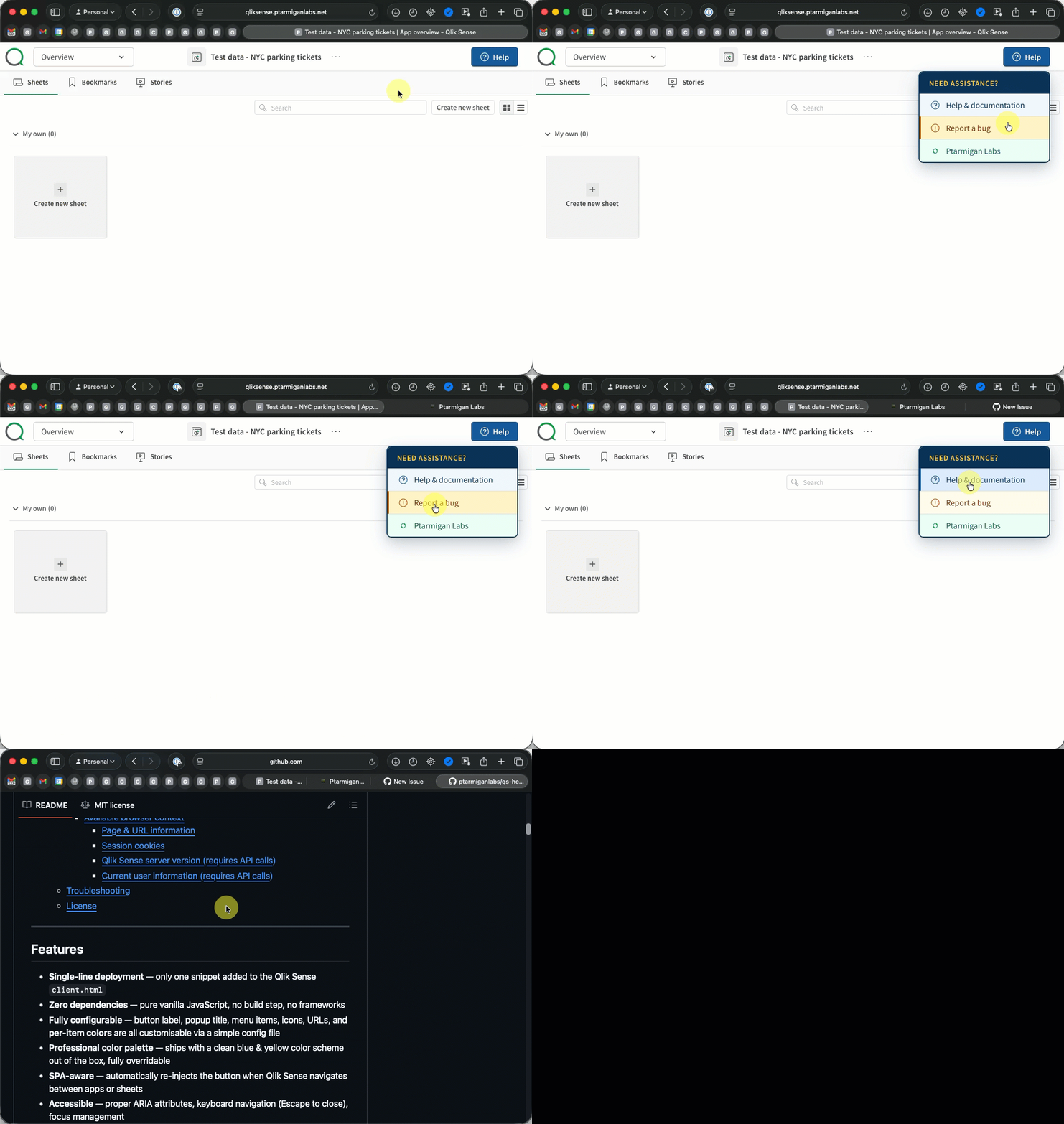
The basic variant is exactly what it sounds like: a Help button with a dropdown of configurable links. Each menu item can have its own icon, label, URL, and color scheme. Click a link, and it opens in a new tab (or the same tab, your choice).
This is the right choice if you want to point users to documentation pages, support portals, or external resources without any extra complexity.
Bug Report variant
The bug report variant includes everything in the basic variant, plus an integrated bug reporting dialog. When a user clicks "Report a bug," a modal opens that's automatically pre-populated with Qlik Sense context:
- User ID and name — who's reporting the issue
- User directory — which domain they're in
- Qlik Sense version — the exact release and build
- App ID and Sheet ID — which app and sheet they're looking at
- URL path — the full path for reference
The user adds a free-text description of the issue and hits Submit. The report is sent as a JSON payload to any webhook endpoint you configure—a custom REST API, a ticketing system, or even a simple logging server.
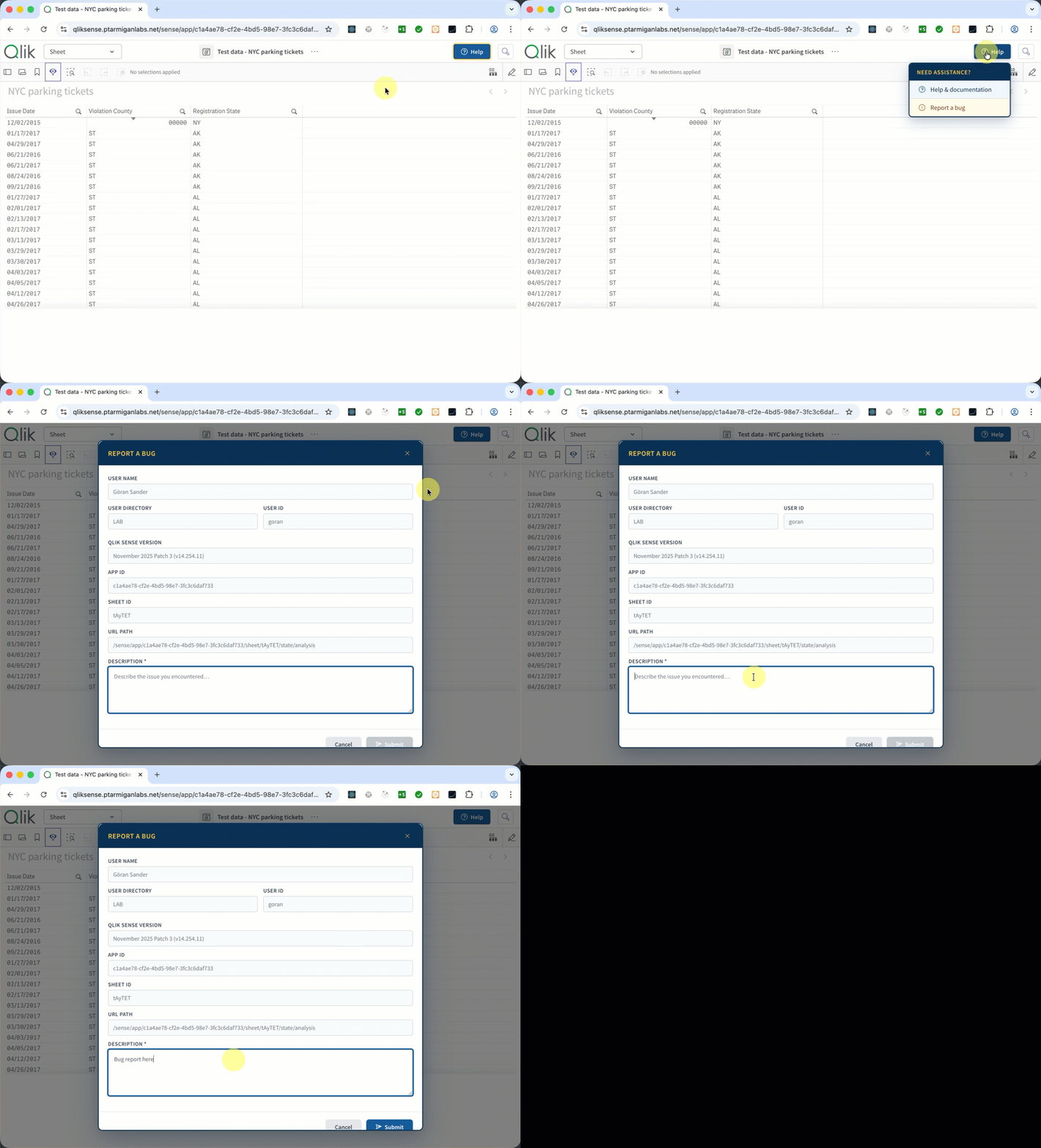
This means no more "which app were you in?" or "what version are you running?" back-and-forth when troubleshooting. The context is captured automatically.
Context-sensitive help with template fields
One of the more powerful features is template field support. Instead of pointing every user to the same generic help page, you can build URLs that include the current Qlik Sense context.
For example, a menu item URL like:
https://wiki.example.com/qlik/apps/{{appId}}/sheets/{{sheetId}}
...gets resolved at click time to include the actual app and sheet the user is currently viewing. Support fields include {{appId}}, {{sheetId}}, {{userId}}, and {{userDirectory}}.
This makes it possible to direct users to app-specific documentation pages, pre-fill support portal fields, or build deep links to JIRA issue templates that already include the relevant Qlik context.
If a field isn't available (for example, {{sheetId}} when no sheet is open), it resolves to an empty string and any resulting double slashes in the URL path are cleaned up automatically.
Flexible webhook authentication
The bug report variant supports four authentication strategies for the webhook call, covering most enterprise setups:
| Strategy | Use case |
|---|---|
| No auth | Network-level security is sufficient (e.g., internal endpoint behind a firewall) |
| Custom header | Bearer tokens, API keys, or other single-header auth |
| Sense session passthrough | The webhook endpoint sits behind the Qlik Sense proxy and trusts the user's existing session |
| Custom headers | Multiple arbitrary headers for complex auth setups |
This flexibility means the bug report can be sent to practically any target—a REST API, ServiceNow, Jira, or a custom backend service.
Installation in five minutes
The installation is intentionally simple. There's no build step, no package manager, no compilation—just two JavaScript files and a two-line edit to the Qlik Sense client.html file.
- Copy two files (
qs-help-button.jsandqs-help-button.config.js) to acustom/folder inside the Qlik SenseClientdirectory - Add two script lines to
client.htmlbefore the closing</body>tag - Restart the Qlik Sense services
That's it. The Help button appears in the toolbar the next time a user loads any app.
The custom/ directory approach is deliberate—it keeps your additions separate from Qlik Sense's own files. When you upgrade Qlik Sense, the installer won't touch your custom/ folder. You just need to re-add those two script lines to the new client.html and restart the services.
Full configuration control
Everything is configurable through a single JavaScript file. The button label, tooltip, icon, and colors. The popup title and color scheme. Each menu item's label, URL, icon, and per-item colors. The bug report dialog's title, webhook URL, authentication, which context fields to collect, and toast notification messages.
The default configuration ships with a clean blue and yellow color scheme that fits well with the Qlik Sense UI, but you can override every color to match your organisation's branding.
Built-in demo server
If you want to test the bug report functionality before connecting it to your production systems, the project includes a ready-to-use Node.js demo server. It accepts bug report submissions over HTTPS and logs them to the console, giving you a quick way to verify that everything works end-to-end.
The demo server auto-detects TLS certificates and switches between HTTP and HTTPS mode accordingly—important since Qlik Sense serves pages over HTTPS and the webhook call needs to match.
Technical details worth knowing
A few things under the hood that make this work smoothly in a Qlik Sense environment:
- SPA-aware — Qlik Sense is a Single Page Application. The help button automatically re-injects itself when users navigate between apps and sheets, using a combination of MutationObserver and polling to detect toolbar changes.
- Accessible — Proper ARIA attributes, keyboard navigation (Escape to close), and focus management are built in.
- Zero dependencies — Pure vanilla JavaScript. No React, no jQuery, no build tools. The entire solution is two small files.
- Context gathering — User information is fetched from the Qlik Sense proxy API, the Sense version is parsed from the server's
product-info.jsfile, and app/sheet IDs are parsed from the URL—all on the fly when the dialog opens, ensuring the context is always current.
Who is this for?
If you're a Qlik Sense administrator or developer managing a client-managed QSEoW environment and you want to:
- Give users easy access to your internal help documentation
- Provide a structured way for users to report issues from within Qlik Sense
- Capture Qlik Sense context automatically with bug reports
- Direct users to context-sensitive help pages based on which app or sheet they're viewing
...then qs-help-button is worth a look.
Getting started
The project is available on GitHub with detailed documentation for both variants:
Pick the variant that fits your needs, follow the installation steps, and you'll have a custom Help button in your Qlik Sense toolbar in minutes.
As with all Ptarmigan Labs tools, qs-help-button is open source under the MIT license—free to use, modify, and share.
Some of those tools are:
Butler provides reload task failure alerts, Sense license monitoring, monitoring of Windows services, a key-value store that can be used from Sense load scripts - and much more...
Butler SOS focus on gathering real-time, operational metrics - and making them available as great looking dashboards in Grafana or New Relic.
 Göran Sander
Info about all open source tools from Ptarmigan Labs