HelpButton.qs 2.0 — A customizable Help Button for Qlik Sense Cloud and Client-Managed
HelpButton.qs 2.0 adds a native Qlik Sense extension that works on both Cloud and client-managed, as an option to the original HTML injection variants. Customizable help menus, context-aware links, and built-in bug reporting — all configurable from the extension's property panel.

When we launched qs-help-button a few weeks ago, it solved a specific problem: adding a custom Help button to the Qlik Sense toolbar on client-managed QSEoW. The approach was lightweight — two JavaScript files, a quick edit to client.html, and you were done.
But it only worked on client-managed Qlik Sense. And it required server file modifications, which isn't always practical or permitted in every organisation. And it was an all-or-nothing solution — the button appeared in every app for every user, with no per-app control.
Version 2.0.0 addresses all of those limitations. The project now includes a proper Qlik Sense extension that works on both Qlik Sense Cloud and client-managed Qlik Sense — configured entirely through the standard Qlik Sense property panel.
The project also has a new name: HelpButton.qs (previously qs-help-button). The repository has moved to github.com/ptarmiganlabs/help-button.qs.
Two ways to add a help button
HelpButton.qs now offers two distinct approaches, so you can pick the one that fits your environment and preferences.
The Qlik Sense extension (new in 2.0.0)
This is the recommended approach for most users. It's a Qlik Sense extension built with Nebula.js that you deploy like any other extension:
- Qlik Cloud: Upload the zip in the Management Console → Extensions.
- Client-managed: Import the zip via the QMC → Extensions.
Once imported, drag the extension onto a sheet. In edit mode, you see a placeholder that lets you configure everything via the property panel — menu items, colors, icons, bug report settings. In analysis mode, the extension can (if so desired) hide itself from the sheet grid (the extension will always occupy at least a 1x1 cell, but can be configured to suppress hover and context menus) and inject the help button directly into the Qlik Sense toolbar.
The extension automatically detects whether it's running on Cloud or client-managed and adapts accordingly. Same features, same configuration, both platforms.
HTML injection variants (client-managed only)
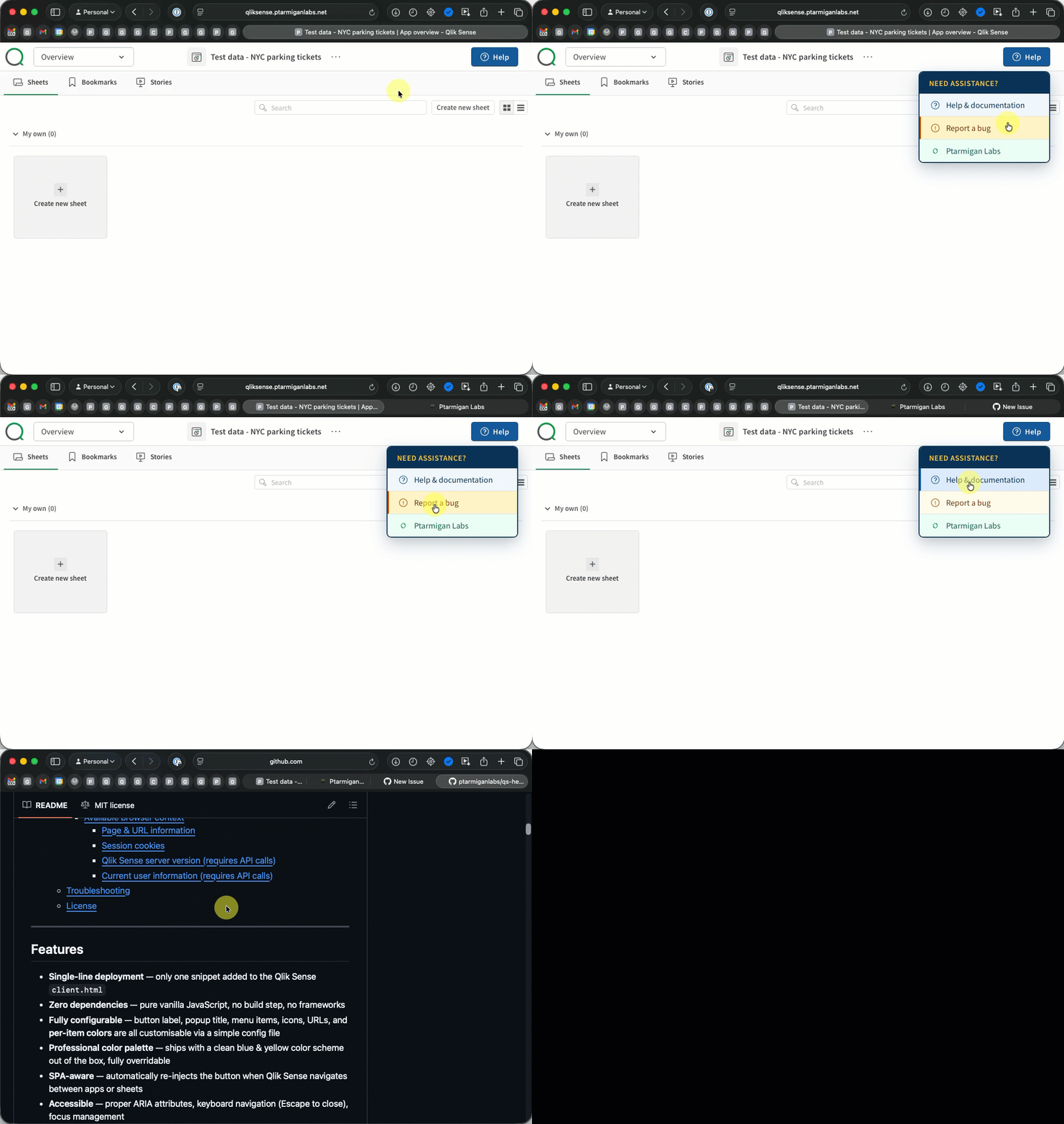
The original approach is still available for those who prefer it. Two JavaScript files injected via client.html — no extension import needed. This adds the help button to every app for all users, with configuration done in a JavaScript file on the server.
Two variants are available:
- Basic — a configurable dropdown with help links.
- Bug Report — everything in Basic, plus an integrated bug report dialog.
Each variant is available in English, Swedish, Danish, Norwegian, Finnish, German, French, Spanish, and Polish.
This remains a good option if you want a server-wide, zero-dependency solution on client-managed QSEoW and don't need Cloud support.
What's new in 2.0
Cross-platform Qlik Sense extension
The headline feature. A native extension that injects a help button into the Qlik Sense toolbar on both Cloud and client-managed environments. Platform detection is automatic — you deploy the same extension zip to either environment.
What makes this approach appealing:
- Standard deployment — no server file modifications. Upload a zip, drag onto a sheet, configure in the property panel.
- Per-app control — the help button is configured per app, so different apps can have different help menus.
- Property panel configuration — everything is visible and editable in the Qlik Sense UI. No code editing required.
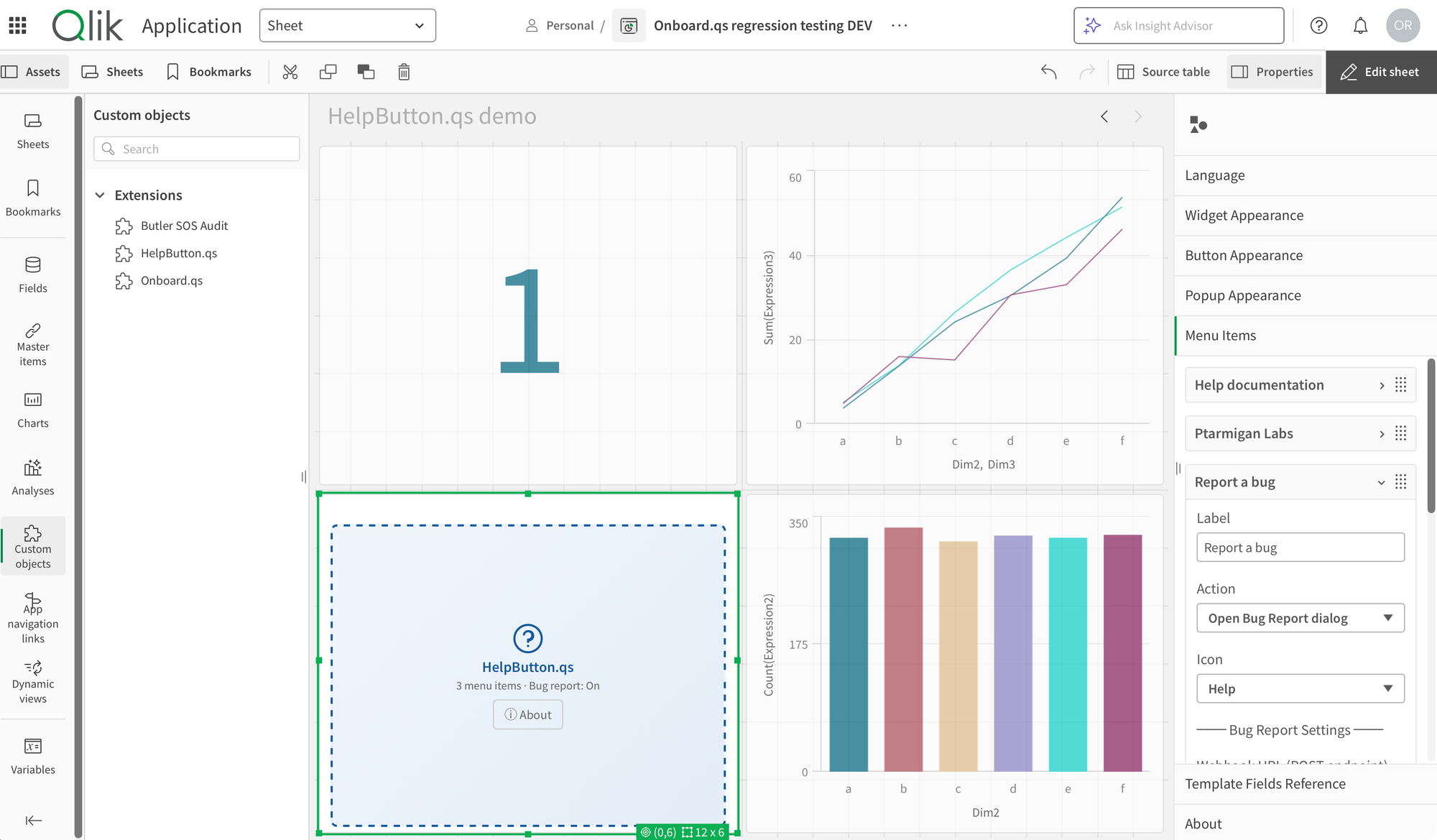
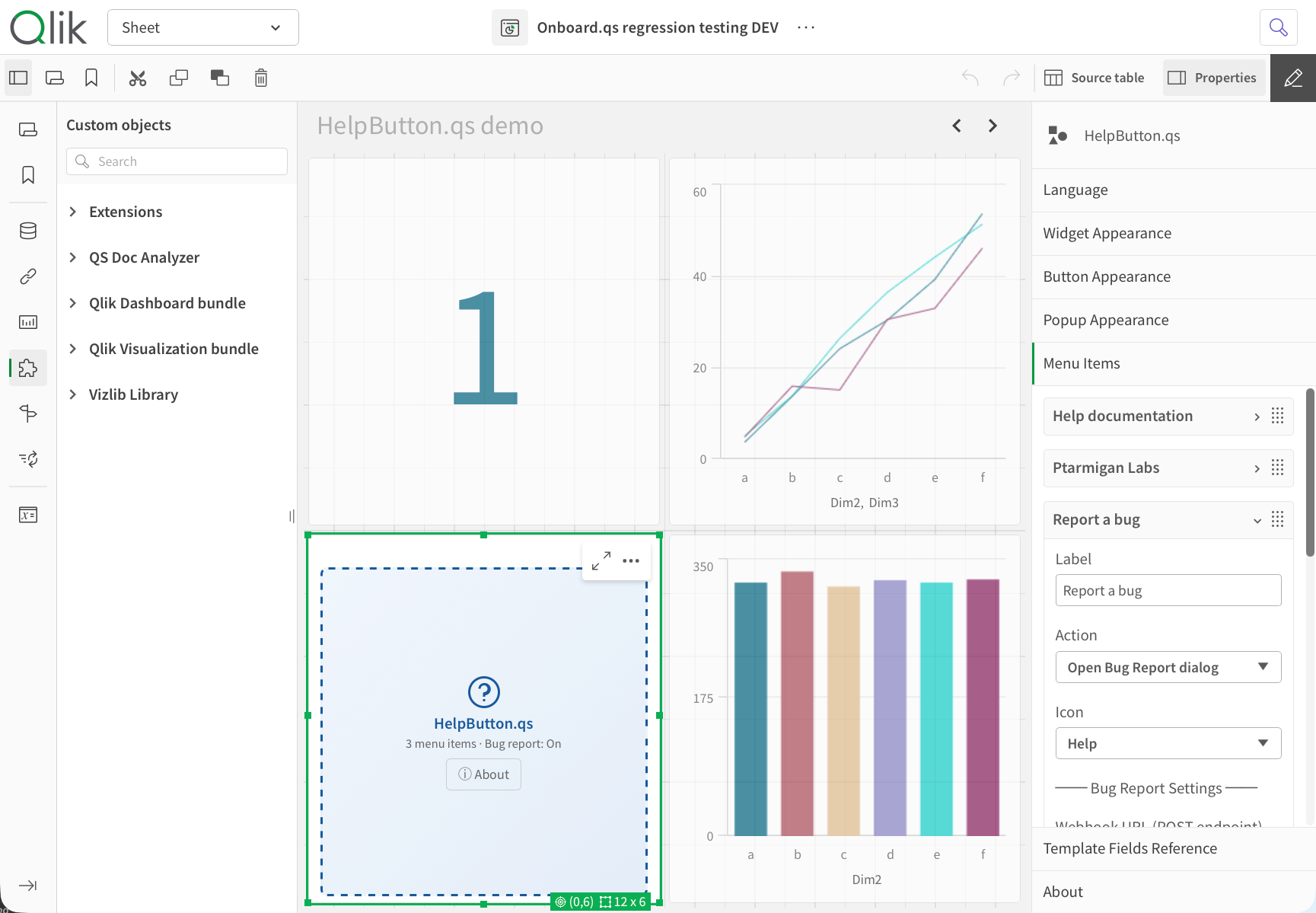
HelpButton.qs in edit mode used in Qlik Cloud (left) and client-managed (right)
The extension occupies a grid cell on the sheet (that's how Qlik Sense extensions work), but in analysis mode it can hide itself. You can configure it to suppress both the hover menu and context menu on the grid cell, and also remove any text from that cell. This way, the extension is effectively invisible on the sheet in analysis mode.
Bug report dialog in the extension
The integrated bug reporting that was previously only available in the HTML Bug Report variant is now part of the extension too. Users click a menu item, a dialog opens with auto-captured context (user ID, app ID, sheet ID, Sense version, platform, browser, timestamp), they type a description, and the report is POSTed as JSON to your webhook endpoint.
The demo server is still there for testing, but you can configure the webhook URL and authentication in the property panel to connect it to your own support system.
You control which context fields are shown and submitted, and you can configure the webhook URL, authentication, and all dialog labels directly from the property panel.
Context-aware links with template fields
Template fields work the same way as in the HTML variants. Use {{appId}}, {{sheetId}}, {{userId}}, or {{userDirectory}} in any menu item URL, and they're resolved at click time using the current Qlik Sense context.
This enables context-sensitive help — directing users to documentation specific to the app or sheet they're currently viewing, or pre-filling support portal fields with Qlik context.
Native color pickers
All color properties in the extension use Qlik Sense's built-in color picker, so you get the same color selection experience as native Qlik Sense objects. Button colors, popup colors, menu item colors — everything is configurable through familiar controls.
About dialog
In edit mode, the extension displays an About dialog with version information and links to documentation. A small thing, but useful for tracking which version is deployed.
Multi-language support
Both the extension and the HTML variants support multiple languages: English, Swedish, Danish, Norwegian, Finnish, German, French, Spanish, and Polish. For the HTML variants, you pick the language folder that fits your organisation. For the extension, language-specific assets are bundled in.
Name change: qs-help-button → HelpButton.qs
The project has been renamed from qs-help-button to HelpButton.qs to align with the naming convention used by other Ptarmigan Labs Qlik Sense projects (like Onboard.qs). The GitHub repository URL has changed accordingly:
- Old:
github.com/ptarmiganlabs/qs-help-button - New:
github.com/ptarmiganlabs/help-button.qs
If you had the old URL bookmarked, GitHub redirects will handle the transition.
Getting started
HelpButton.qs is available on GitHub:
- Project home
- Downloads and release notes
- Extension documentation
- HTML variant documentation (Basic)
- HTML variant documentation (Bug Report)
For the extension: download the helpbutton-qs-extension-v2.0.0.zip from the release, expand it somewhere on your computer. Inside you find the actual Qlik Sense extension ZIP file. Import it into your Qlik Sense environment, drag it onto a sheet, and configure it in the property panel. Switch to analysis mode and the help button appears in the toolbar.
As with all Ptarmigan Labs tools, HelpButton.qs is open source under the MIT license — free to use, modify, and share.