Netgear

Netgear RN312 firmware upgrade 6.0.8 to 6.1.2

Netgear RN312 firmware upgrade 6.0.8 to 6.1.2

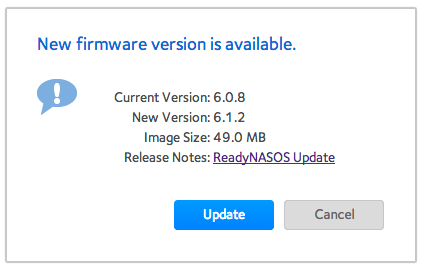
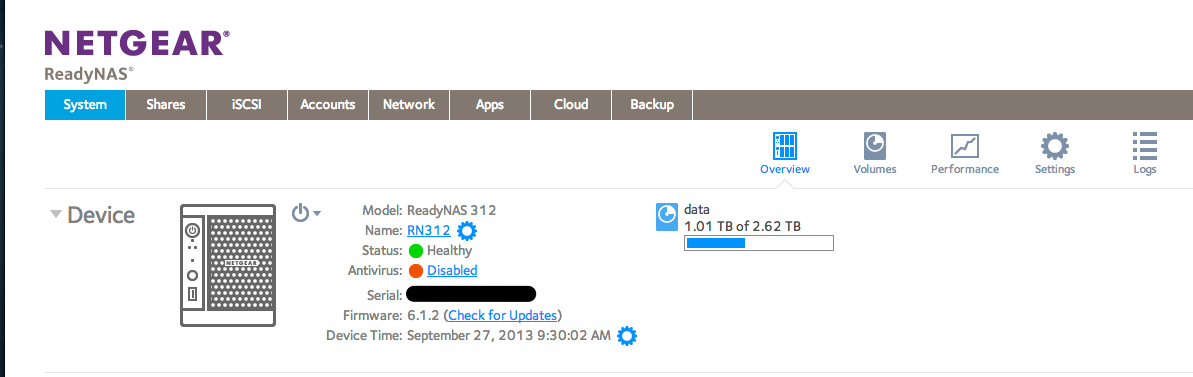
Seems Netgear just released firmware version 6.1.2 for those products that support the new UI (I believe UltraNAS and other non-Intel based devices does not get the benefits of the new version 6 and above firmware – or maybe they have reconsidered – not sure).

Updating is always a bit scary when you have a smoothly running system, but after reading the release notes they mainly covered more high end devices (as compared to the RN312 that I have), so why not..

I believe the upgrade went well, all the applications I have installed myself (CrashPlan, Monitorix etc) seems to be work ok.
Göran Sander Stockholm, Sweden

Qlik Sense consultant and toolmaker at Ptarmigan Labs. Ten years at Spotify, Qlik Luminary and Partner Ambassador, author of the open source Butler tools.

All posts by Göran Sander
Keep reading

More about

Netgear

ReadyNAS RN312 + 8GB RAM = FAIL

My RN312 has worked flawlessly since the upgrade from the standard 2 GB RAM to 4 GB ditto. I would however like to run some memory intensive applications on the NAS, so an upgrade to 8GB would be nice. Turns out this is not as easy – might not even be

1 min read
Netgear

Moving CrashPlan cache and log directories to new locations

As discussed in a previous post, the ReadyNAS might run out of disk space on the 4 GB root partition if you install software other than that provided by NetGear. In my case it was CrashPlan’s cache and log files that were filling up the root partition, with warning

3 min read
Netgear

Add more RAM memory to ReadyNAS RN312

The 2GB of RAM that is standard in the RN300 series of NAS from NetGear might seem like a lot to begin with, but if you install additional applications such as media servers or backup software (see this post for instructions how to install CrashPlan), memory might become a scarce

1 min read