Onboard.qs 1.5.0 — Selective Tour Export, Container Support, and Accessibility
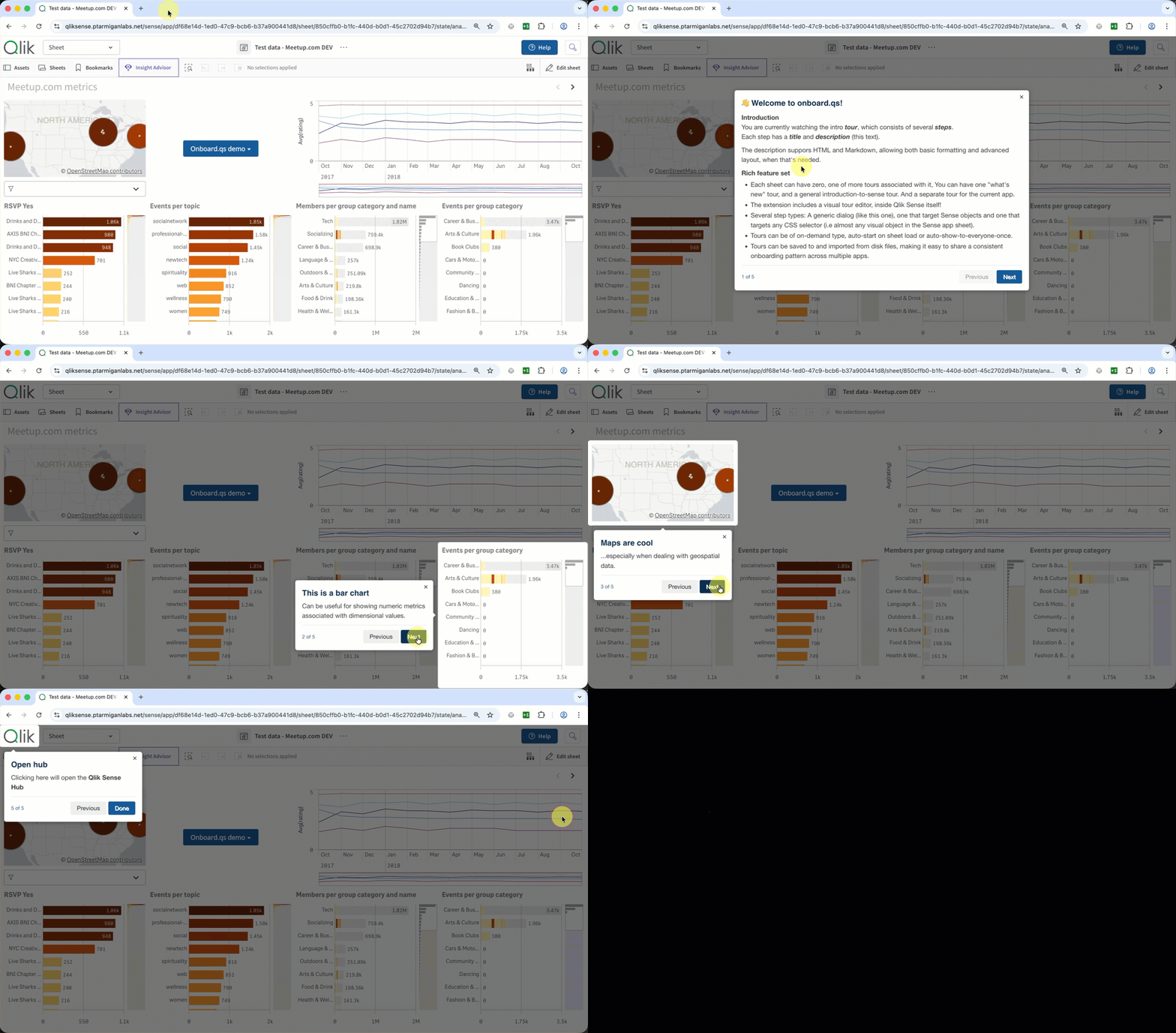
Onboard.qs 1.5.0 adds selective tour export, layout container support, and accessibility improvements to the open source Qlik Sense onboarding extension. Works on Qlik Cloud and client-managed QSEoW.

When we launched onboard.qs a week ago, we weren't sure what to expect. Turns out, quite a few people had been looking for exactly this kind of tool — over 150 users tested the early versions within days of release.
Thank you to everyone who tried it, reported issues, and shared feedback. That input has directly shaped the improvements in the two releases since launch: version 1.4.0 and today's 1.5.0.
If you're new here: onboard.qs is a free, open source Qlik Sense extension that adds interactive, step-by-step onboarding tours directly into your apps. No coding required.
Quick overview for new readers
Onboard.qs lets you build guided walkthroughs that highlight objects, explain charts, and onboard users — all from within the Qlik Sense app itself. It works on both Qlik Cloud and Qlik Sense Enterprise on Windows (client-managed), with automatic platform detection.
Key capabilities:
- Visual tour editor — a three-panel modal for managing tours, steps, and step details. No code, no context switching.
- Multiple targeting modes — highlight a sheet object (pick from a dropdown), target any DOM element with a CSS selector, or show a standalone dialog.
- Markdown and HTML in step descriptions — bold, italic, links, images, lists, and more.
- Auto-start with show-once — tours launch automatically for new users and skip for returning users. Bump the version to re-trigger.
- Four theme presets plus full color customisation via native Qlik color pickers.
- Tour import/export with three merge modes — move tours between apps, tenants, or environments.
- ~40 KB zipped. One dependency (driver.js, ~5 KB gzip).
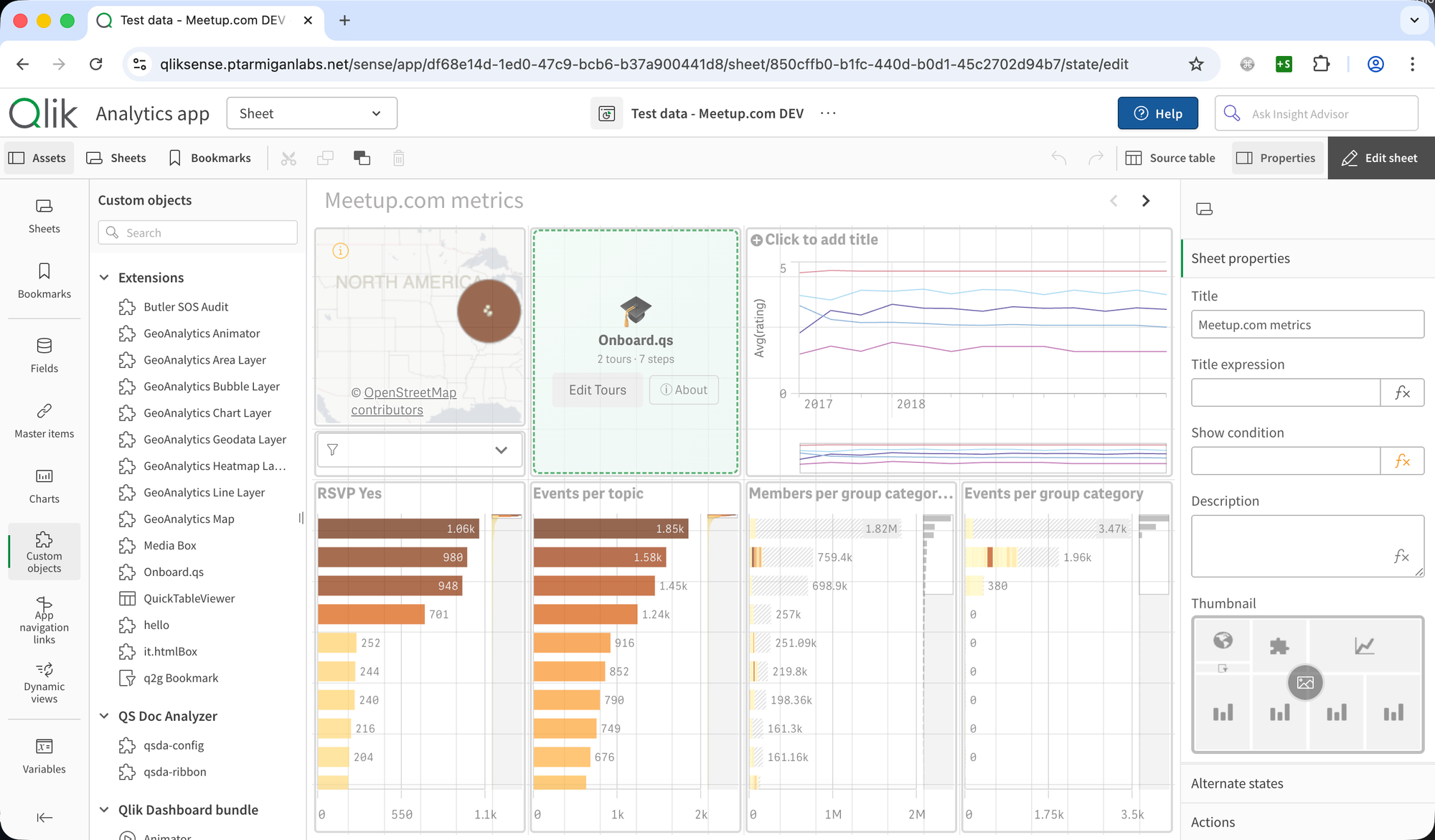
For the full overview, see the original launch post.
What's new in 1.4.0 — layout container support
The tour editor's object picker now discovers objects inside layout containers and tabs, not just top-level sheet objects.
This matters because many Qlik Sense apps rely heavily on containers to organise content — tabbed views, conditional layouts, or grouped visualisations. Previously, objects nested inside containers didn't appear in the object picker dropdown, which meant you couldn't target them by selecting from the list (you had to fall back to custom CSS selectors).
With 1.4.0, the object picker walks the full object hierarchy and includes child objects from layout containers. If your app uses containers, tour creation just got significantly easier.
What's new in 1.5.0
Selective tour export
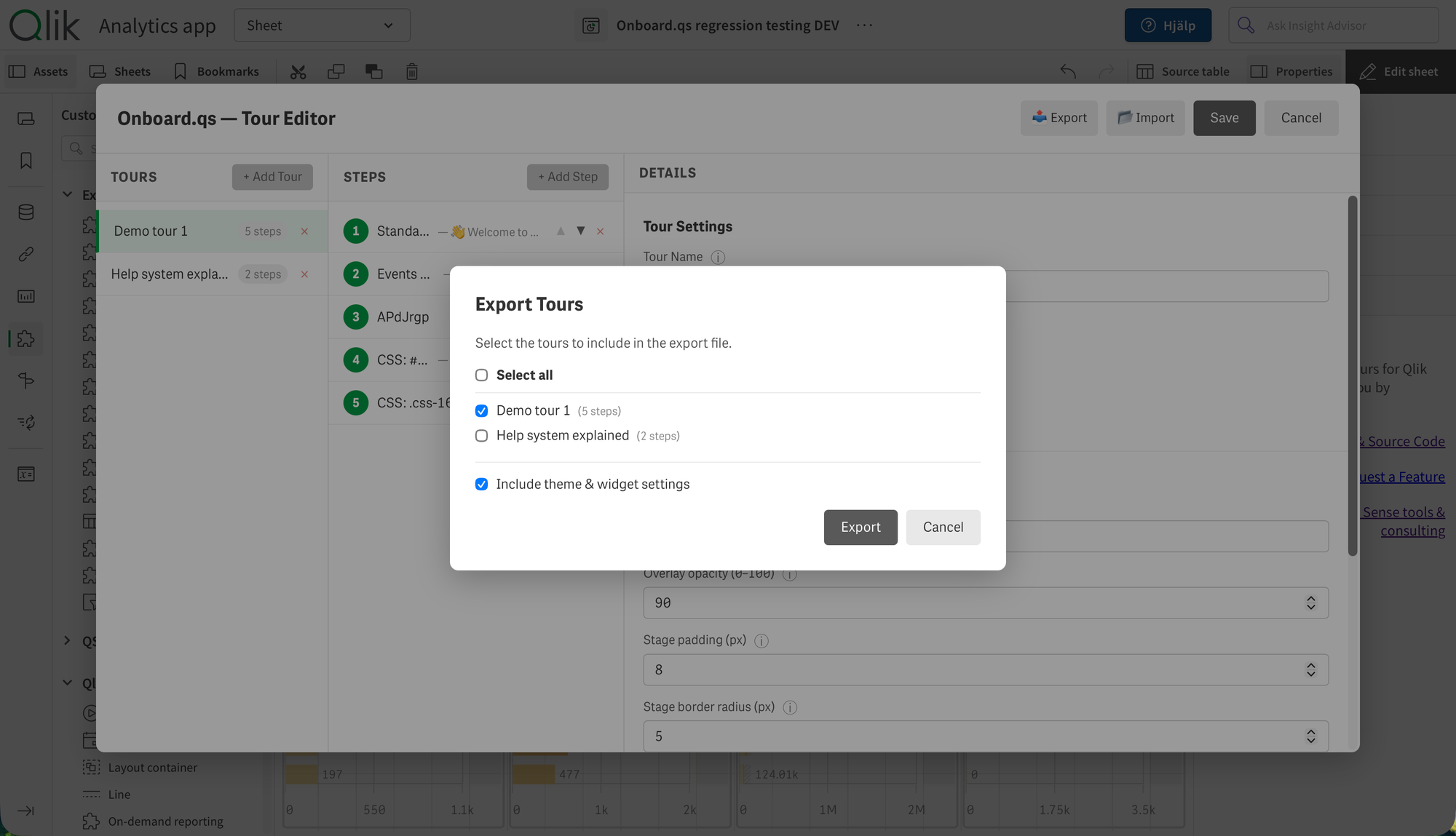
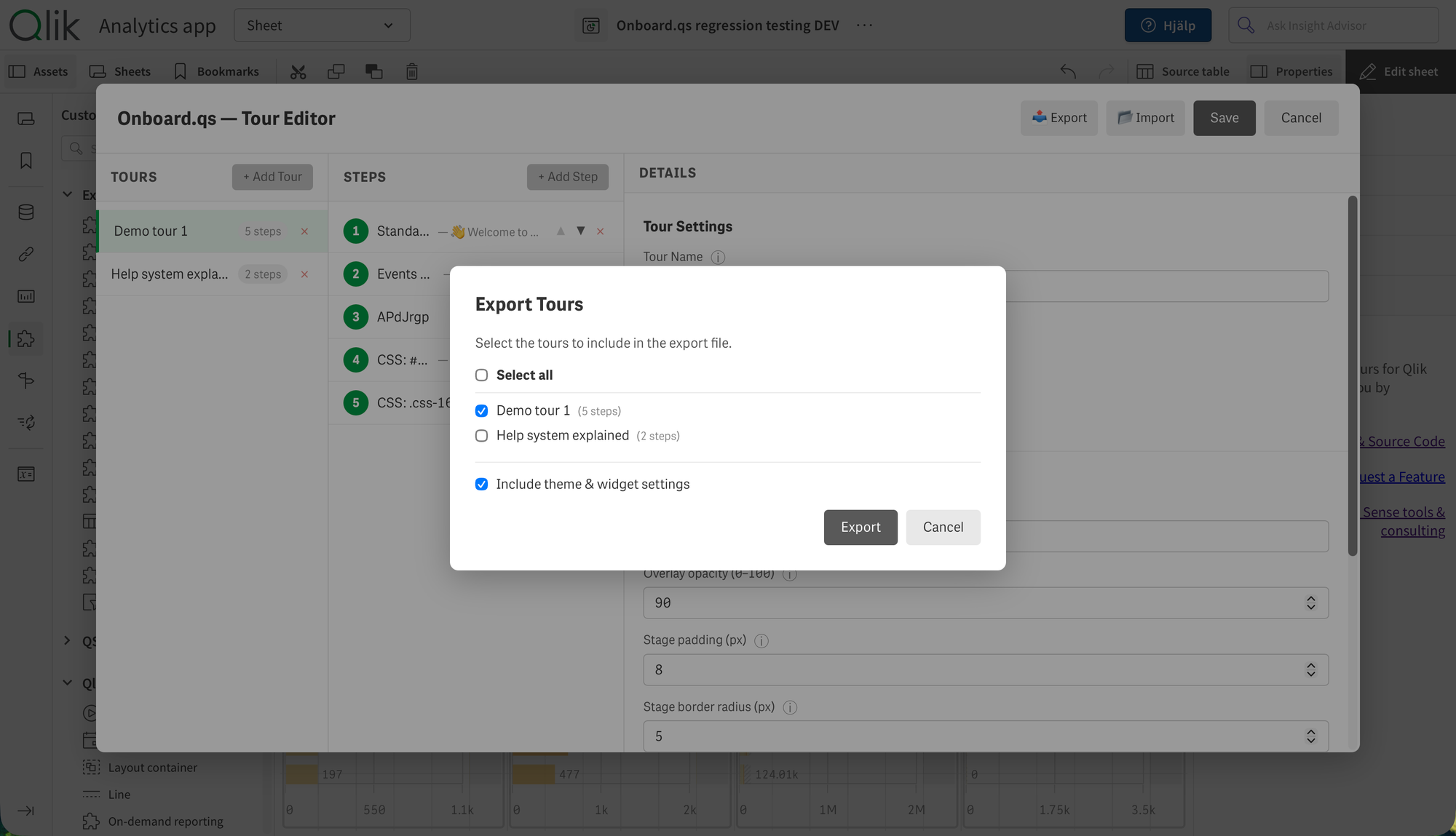
The export dialog now lets you choose exactly which tours to include in the export file. Instead of the previous all-or-nothing approach, you get:
- Per-tour checkboxes — select individual tours to export.
- Select All toggle — quickly include or exclude everything.
- Optional theme inclusion — decide whether to bundle theme and widget settings with the exported tours.
This is useful when you have multiple tours on a sheet but only want to share or migrate specific ones. For example, you might export just the "Getting Started" tour to use as a template in another app, without carrying over the other tours and theme settings.
Accessibility improvements
The import and export dialogs now include proper ARIA semantics and focus management:
role="dialog"andaria-modal="true"for screen reader announcements.aria-labelledbylinking each dialog to its title.- Focus is trapped inside the dialog while it's open and restored to the triggering element when it closes.
These are foundational accessibility improvements that benefit keyboard-only users and screen reader users. It's the kind of work that doesn't make for flashy screenshots, but makes the extension more professional and usable for everyone.
UI and code quality
A few smaller improvements round out the release:
- Distinct icons for export (📤) and import (📂) buttons in the tour editor, making the two actions easier to distinguish at a glance.
- Shared CSS consolidation for import and export dialogs, reducing duplication in the codebase.
- Bug fix: the "Include theme" toggle now correctly defaults to off when it isn't rendered.
Getting started
Onboard.qs is available on GitHub:
Deployment works like any Qlik Sense extension:
- Qlik Cloud: Upload
onboard-qs.zipin the Management Console → Extensions, then drag the extension onto any sheet. - Client-managed (QSEoW): Import
onboard-qs.zipvia the QMC → Extensions, then drag onto any sheet.
Once placed, open the tour editor, create your first tour, and switch to analysis mode to see it in action.
Onboard.qs is open source under the MIT license — free to use, modify, and share. If you find it useful, consider giving it a ⭐ on GitHub.