Netgear

11 posts tagged netgear, newest first.

Netgear

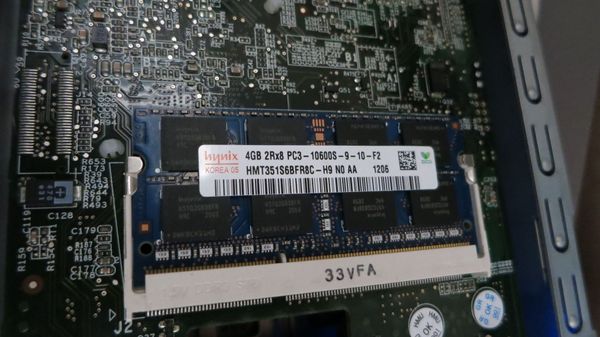
ReadyNAS RN312 + 8GB RAM = FAIL

My RN312 has worked flawlessly since the upgrade from the standard 2 GB RAM to 4 GB ditto. I would however like to run some memory intensive applications on the NAS, so an upgrade to 8GB would be nice. Turns out this is not as easy – might not even be

1 min read
Netgear

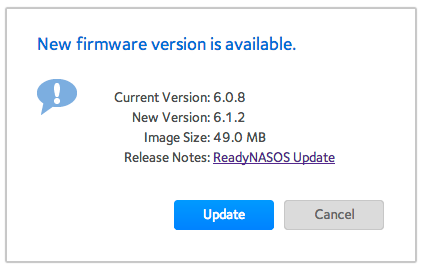
Netgear RN312 firmware upgrade 6.0.8 to 6.1.2

Seems Netgear just released firmware version 6.1.2 for those products that support the new UI (I believe UltraNAS and other non-Intel based devices does not get the benefits of the new version 6 and above firmware – or maybe they have reconsidered – not sure). Updating is always a

1 min read
Netgear

Moving CrashPlan cache and log directories to new locations

As discussed in a previous post, the ReadyNAS might run out of disk space on the 4 GB root partition if you install software other than that provided by NetGear. In my case it was CrashPlan’s cache and log files that were filling up the root partition, with warning

3 min read
Netgear

Add more RAM memory to ReadyNAS RN312

The 2GB of RAM that is standard in the RN300 series of NAS from NetGear might seem like a lot to begin with, but if you install additional applications such as media servers or backup software (see this post for instructions how to install CrashPlan), memory might become a scarce

1 min read
Netgear

Monitorix on ReadyNAS, part 2

The default Monitorix installation (see previous post) puts the log and database files in /var/lib/monitorix/, which is part of the root partition. This partition is only 4 GB in size, and when it is 80% full the NAS sends an email to the admin email address: System volume

2 min read
Netgear

Enhanced monitoring of Netgear ReadyNAS RN312 using Monitorix

Edit: Some additional configuration turned out to be necessary to achieve stable operation, see this post. The built-in monitoring of the RN312 is ok for basic purposes, but still pretty limited. I am really heading towards a Zabbix setup (I think at least, having tested it in a VM

3 min read
Netgear

Allowing ssh access to ReadyNAS RN312

After creating a few new users on the RN312, using the web interface provided with the device, I noted that none of the users could ssh into the NAS. Turns out the new users are created without a default shell, resulting in a successful ssh login, followed by a terminated

1 min read
Netgear

Netgear RN312 firmware upgrade 6.0.6 to 6.0.8

Firmware 6.0.8 just became available for the x86 based Netgear NASes. Interestingly enough, it is called “firmware” version, but to me (and others familiar with electronics and embedded systems) a firmware is low-level software running directly on the CPU/MCU. Maybe there are such components in the

1 min read
Netgear

tmux on Netgear RN312 NAS

If you spend any time at all at the Linux command line, you need tmux. Period. It makes you orders of magnitude more effective, there’s just no excuse for not using it. Given that the RN312 NAS is x86 based and using Debian Wheezy, there’s an already compiled

1 min read
Netgear

htop on the Netgear RN312

Just a quick post on how easy it is to set up the invaluable htop package on the Netgear RN312.  For those not familiar with htop, it’s a super-powered process monitor, way way better than the old legacy top command. Nice stuff, must have. Turns out the pre-

1 min read
Netgear

CrashPlan on Netgear ReadyNAS RN312 - hello!

Edit: Installing according to the instructions below works, but it does place CrashPlan’s log and cache files on the very size constrained root partition of the ReadyNas. Especially the cache files will quickly fill that partition of you have lots of files. It is however easy to move those

4 min read